Be On the Lookout · for agencies

Every officer sees today's lineup. Every sighting reaches the agency in seconds.

CrimezerID keeps a lineup of the ten people your agency most needs found in every officer's pocket, records who has looked at it each day, and turns "I think I just saw him" into a timed, located, rated report the agency can act on.

  • No facial recognition. The officer is the trigger.
  • Private by design. Officers, check-ins and sighting reports stay inside the agency. Subject files can be shared, so one agency can feature another's BOLO.
  • iOS, Android and web. One app for officers, one panel for the agency.
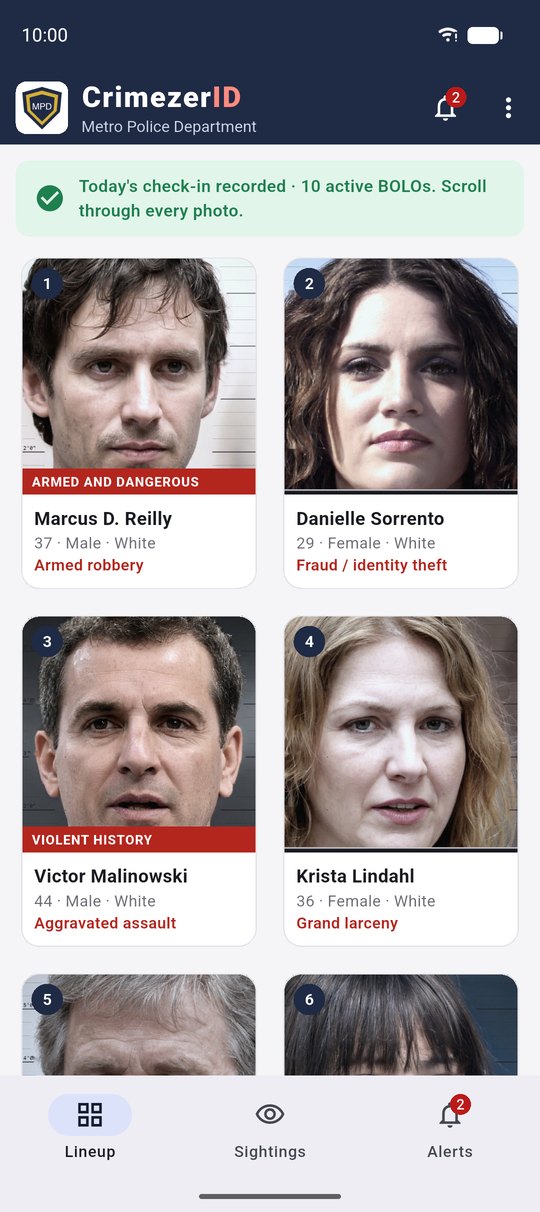
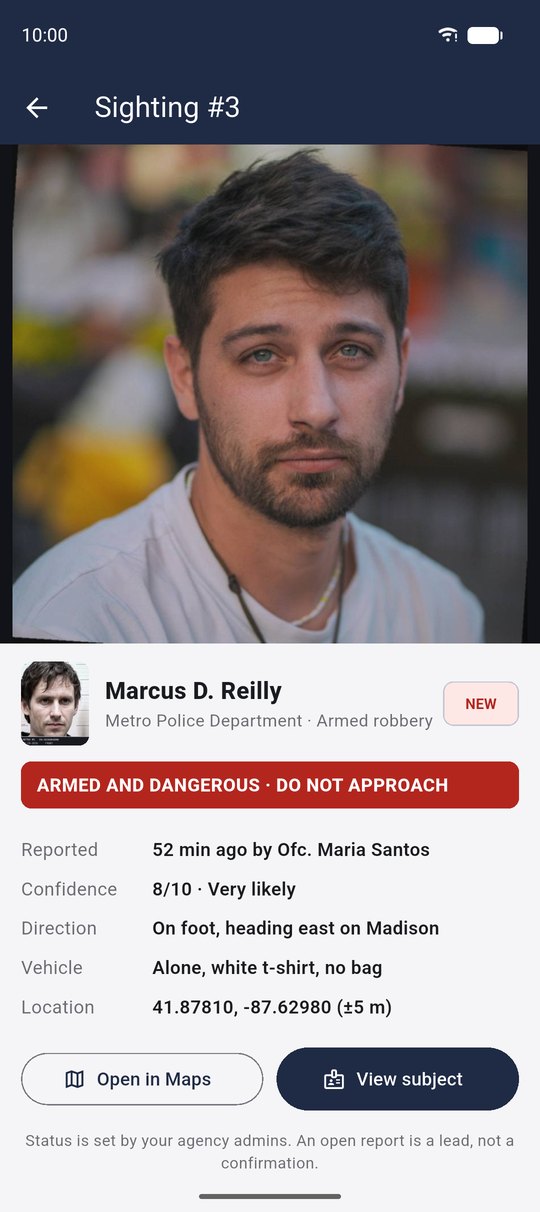
The lineup tab: ten subjects with photos, descriptors and caution bannersA sighting report with the officer's photo
How it works

Five steps, from the agency's file to a report in the field

1

Your agency builds the lineup

Keep as many subjects on file as you need. Choose the ten the app shows, in order, each with a booking photo, descriptors, a caution banner and your own datasheet PDF. A neighbouring agency can ask you to feature one of theirs. Marking someone apprehended frees the slot.
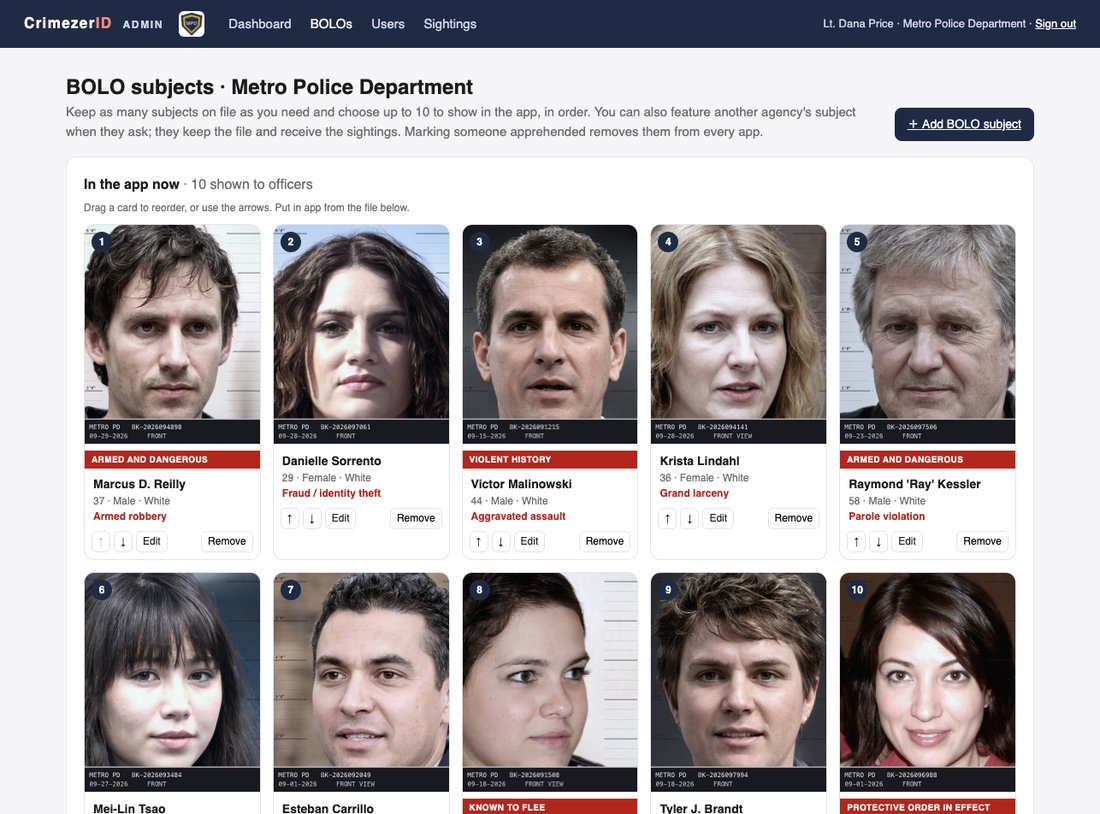
Admin panel: the ten subjects in the app, in order, with the pool below
2

Officers review it every day

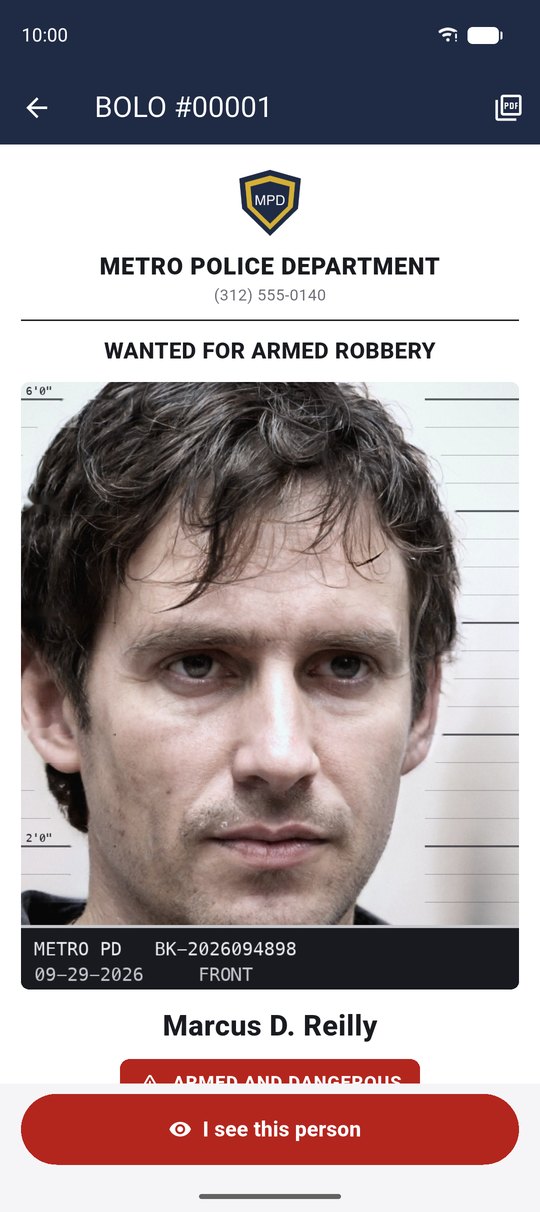
Opening the lineup records the day's check-in. Each subject page shows the poster, the descriptors and the datasheet, and ends with one button: I see this person.

Lineup tabSubject page with the I see this person button
3

An officer spots someone

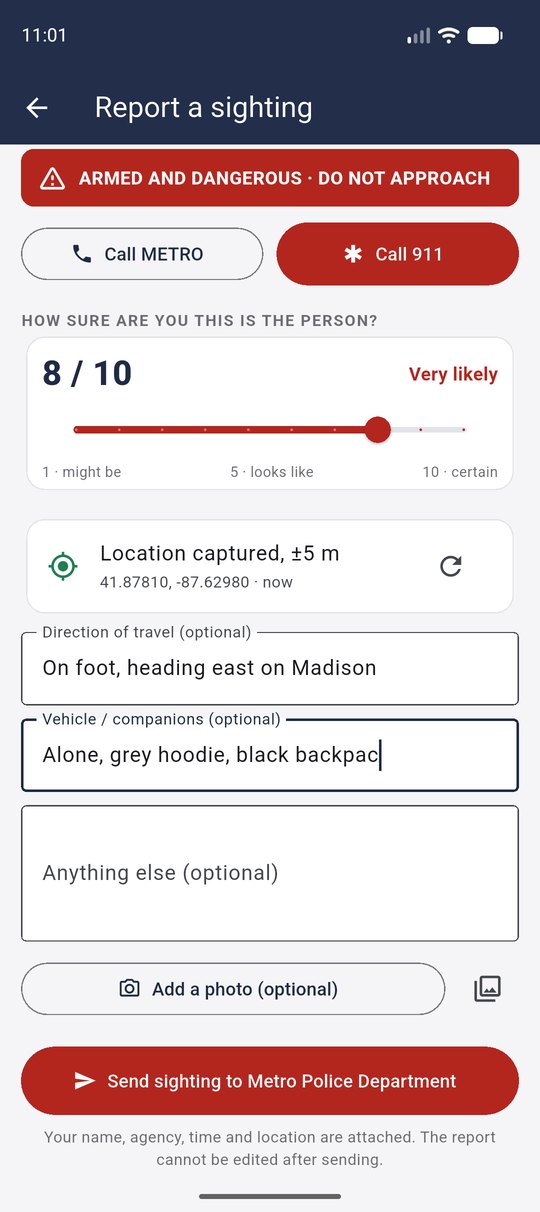
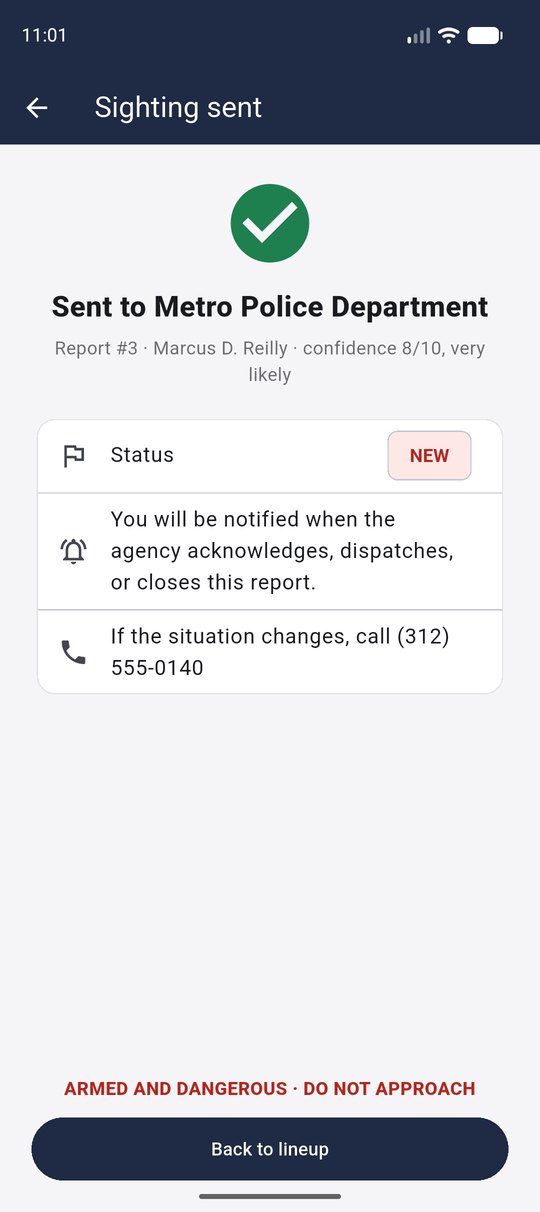
One tap opens a report with the time, GPS position and the officer's identity already attached. The officer rates how sure they are on a 1 to 10 scale with plain words on it, adds direction of travel, vehicle, a note and an optional photo, and can call the agency or 911 without leaving the screen.

Sighting report form with the confidence sliderSighting sent confirmation
4

Your agency triages, the officer hears back

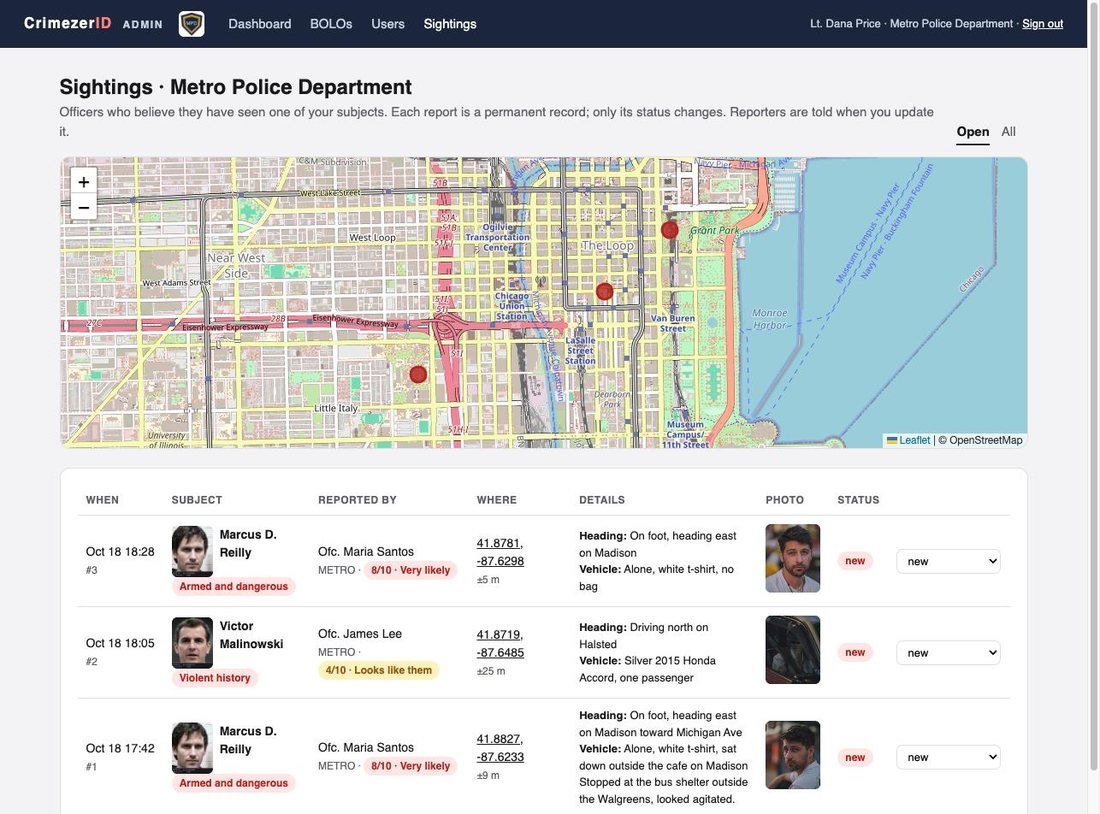
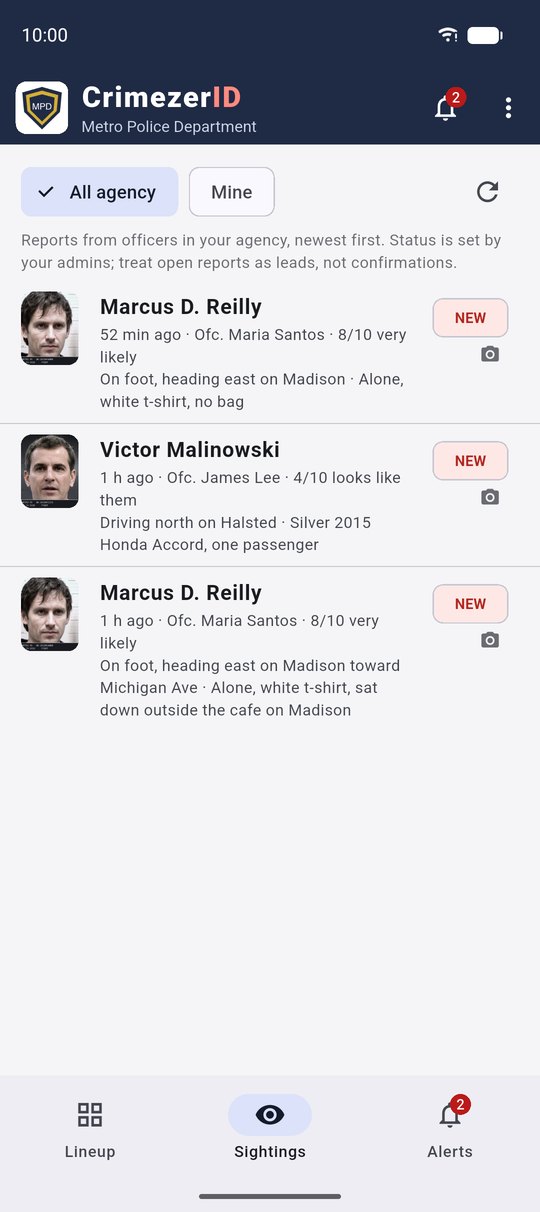
Reports land on a map with the photo and the officer's confidence. Admins move each one through new, acknowledged, dispatched and closed, and the reporting officer is notified at every change. Officers also see their agency's recent reports in the app.

Admin sightings page with map pins and a status columnSightings tab in the app
5

Know who looked

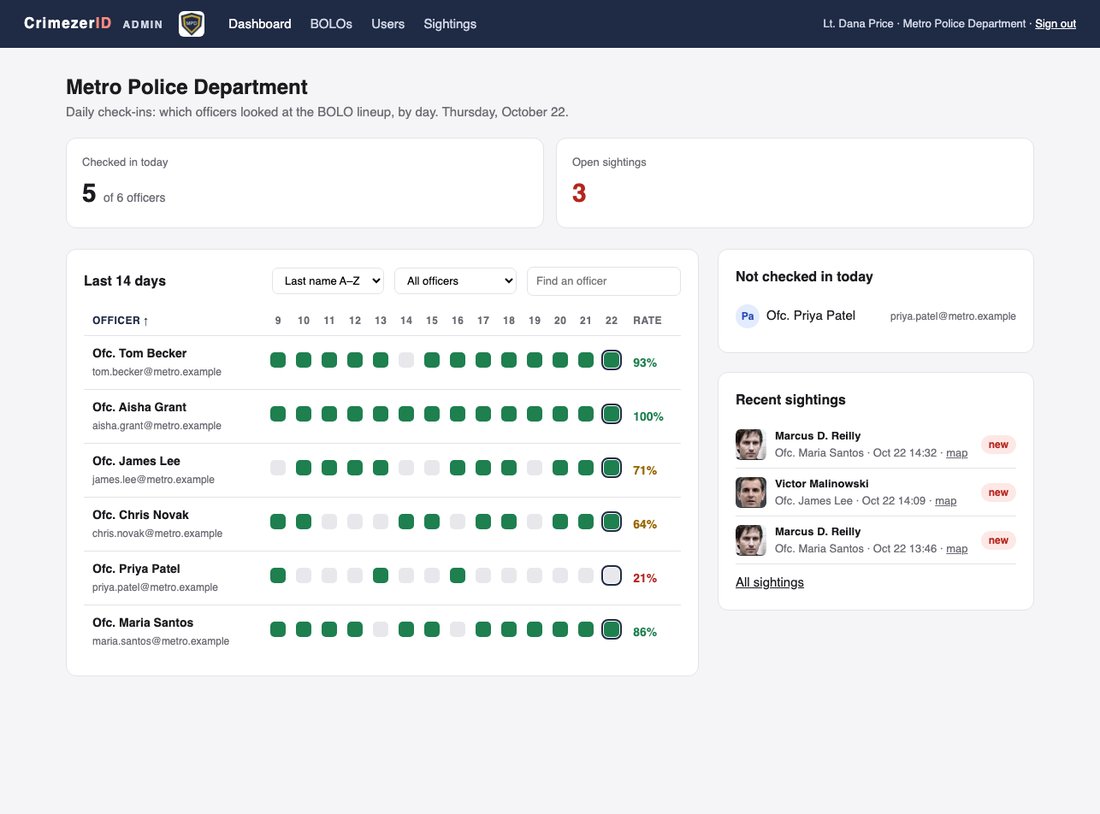
The dashboard shows a 14-day check-in grid per officer, who has not looked today, and the open reports. Lineup discipline becomes something you can see instead of something you hope for.

Dashboard with the 14-day check-in grid
For agencies

Three roles, no training course

Officers

Sign in on their own phone, scroll the lineup, open a subject, report a sighting. Nothing to configure.

Agency admins

Add officers, keep the subject file, pick the ten in the app, upload datasheets, triage sightings. Any number of admins per agency.

CrimezerID

We create your agency, set up your first admin, and stay out of your data. Agencies never see each other's officers or reports; they can see each other's subject files and feature a BOLO on request.

Why no face recognition? We benchmarked the leading engines on real field photos and dropped the idea. A photo an officer snaps at dusk through a windshield is not a booking photo, and a number from a model is easy to over-trust. CrimezerID carries what a trained officer saw, how sure they were, and where, to the people who can act on it.
Request access

Tell us about your agency

CrimezerID is not open sign-up. Every request is reviewed by a person. Approved agencies receive an admin login by email and can add officers immediately.

  • Use a work email address at your agency.
  • We may call the number you give to confirm the request.
  • Private security firms are welcome; say who you work for.
By sending this you agree that we may contact you about the request.